Tidio Review
One of the most widely used chatbots on websites is Tidio, but will it still be useful in 2026? I go over Tidio’s features, advantages and disadvantages, and available prices in this comprehensive review. Tidio review I’ll also go over the specifics of the platform and when you should use it for your chat automations. Now let’s get started!
For small and medium-sized businesses looking for a website chatbot with live chat and AI capabilities, Tidio is perfect. Tidio stands out for its smooth incorporation of chatbot flows, live chat, and AI (Lyro) into an intuitive platform. Lyro can automatically answer frequently asked questions, you can quickly create chatbot flows, and when needed, you can forward conversations to human agents. Additionally, Tidio provides outstanding Shopify integration, allowing the AI to respond to inquiries about products, make product recommendations, and help clients check the status of their orders. Tidio offers paid plans that start at $29 per month in addition to a free plan. Additional add-ons include chatbot flow features and artificial intelligence.
What is Tidio?
Tidio is a comprehensive platform for customer support. It can increase sales on your website and improve customer service.
Key features of Tidio are:
- Flow Builder
- Lyro AI Chatbot
- Website widget
- Unified live chat Inbox
- Supports many languages: English, French, German, Spanish, Portuguese, Italian, and Russian.
How to use Tidio?
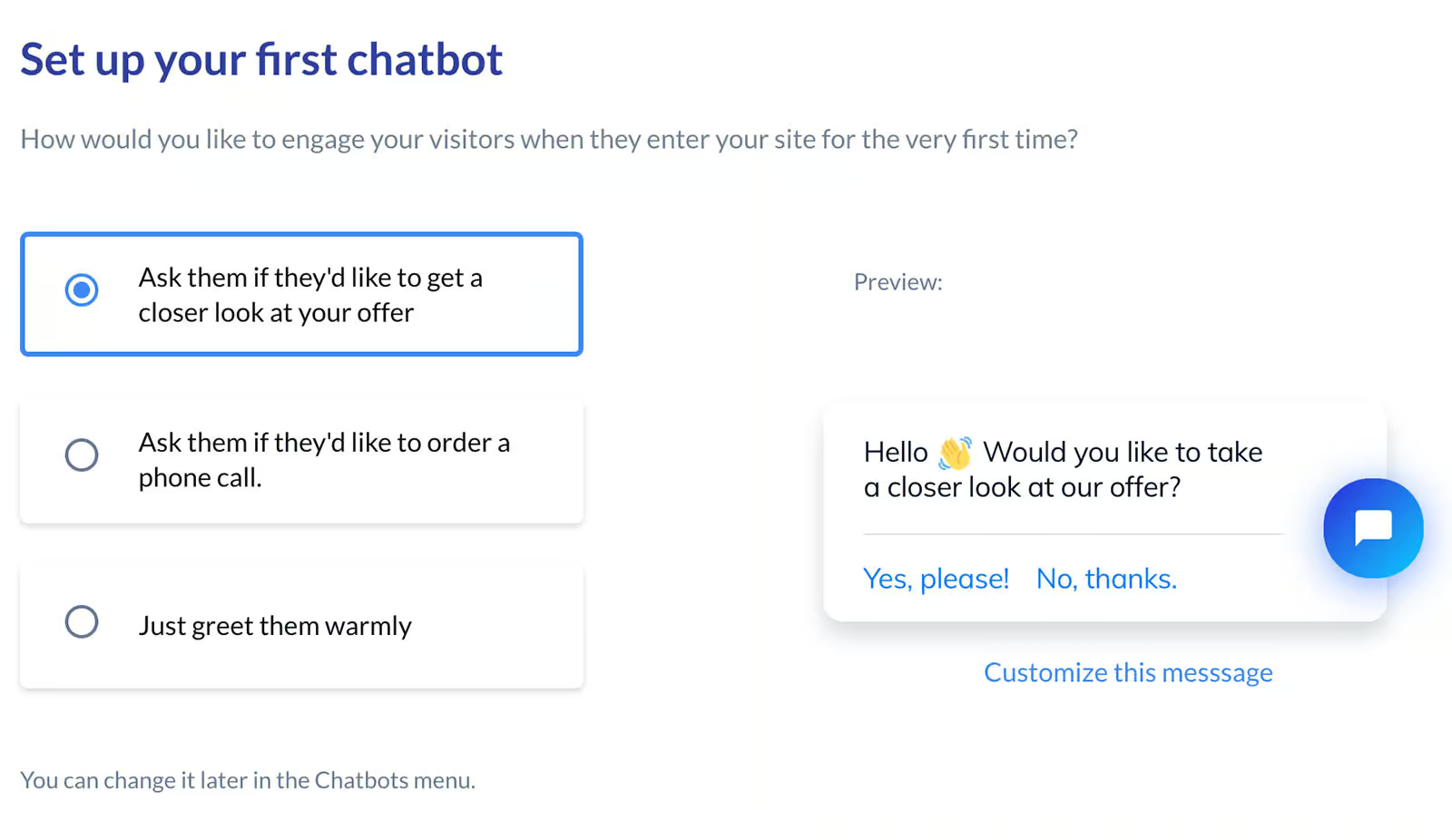
You go through a step-by-step setup process when you first create an account with Tidio. I thought it was really helpful, particularly if you’re just getting started with chatbots:
The next six steps to maximize Tidio’s potential are then automatically displayed if you visit the dashboard:
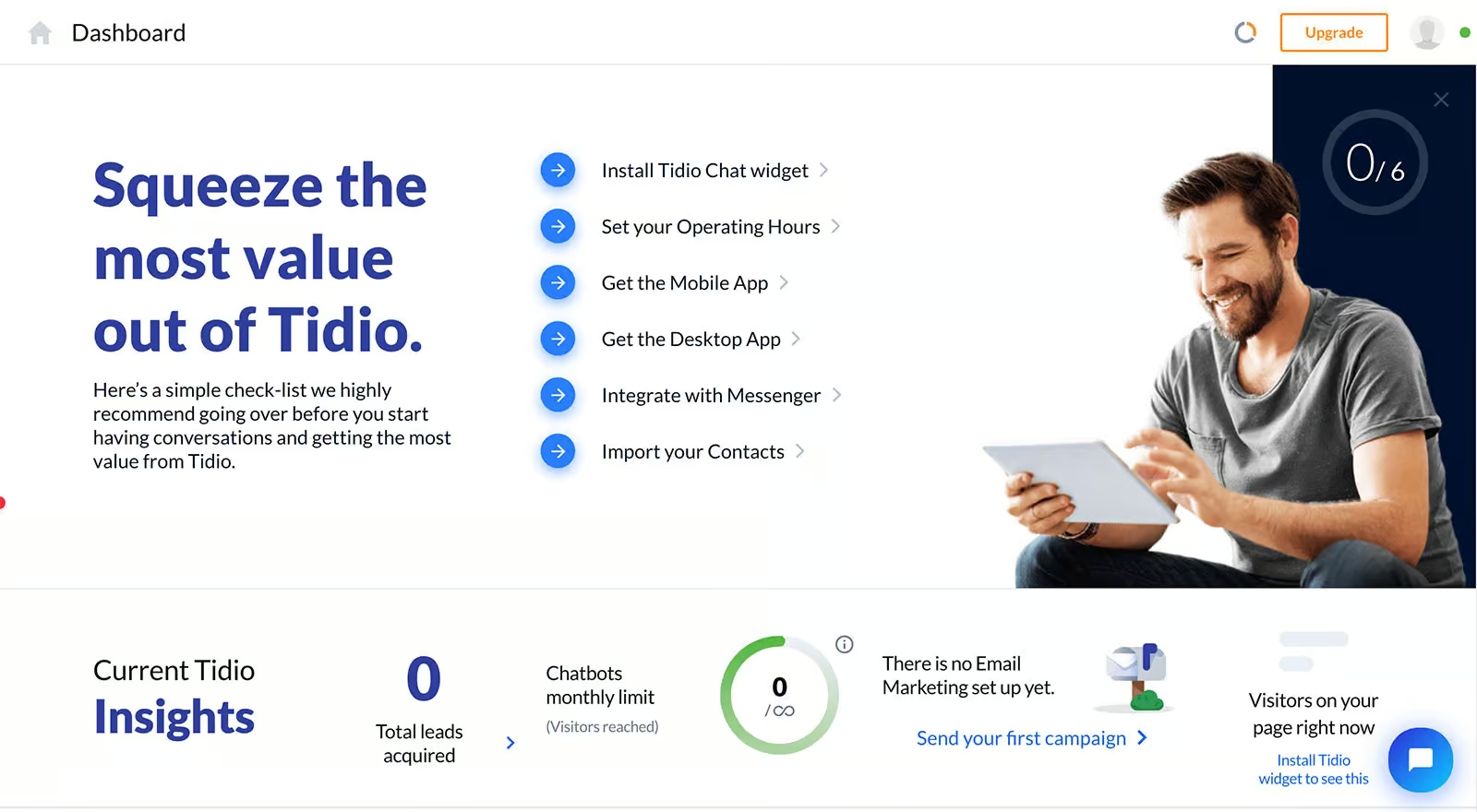
You can manage your Tidio account from multiple tabs in the dashboard:
- Dashboard: This displays the most recent data on your Tidio chatbot along with usage
- Inbox – Tidio’s live chat
- Lyro AI Agent – the AI feature of Tidio
- Flows – this is where your chatbot flows are created
- Customers – all the contacts who talked with your chatbot
- Analytics – this shows the analytics of your chatbot, tickets and operators
There are two methods for configuring chat automations in Tidio:
1. Flows, which we discuss here
2. We discuss AI Agent (Lyro) in the AI section that follows.
The fact that these two can genuinely collaborate is the best part!
You can use Tidio’s flow builder to begin developing your chatbot flows:
Read the Full Article – Deel Review: Simple Global Payroll this Platform for Remote Teams
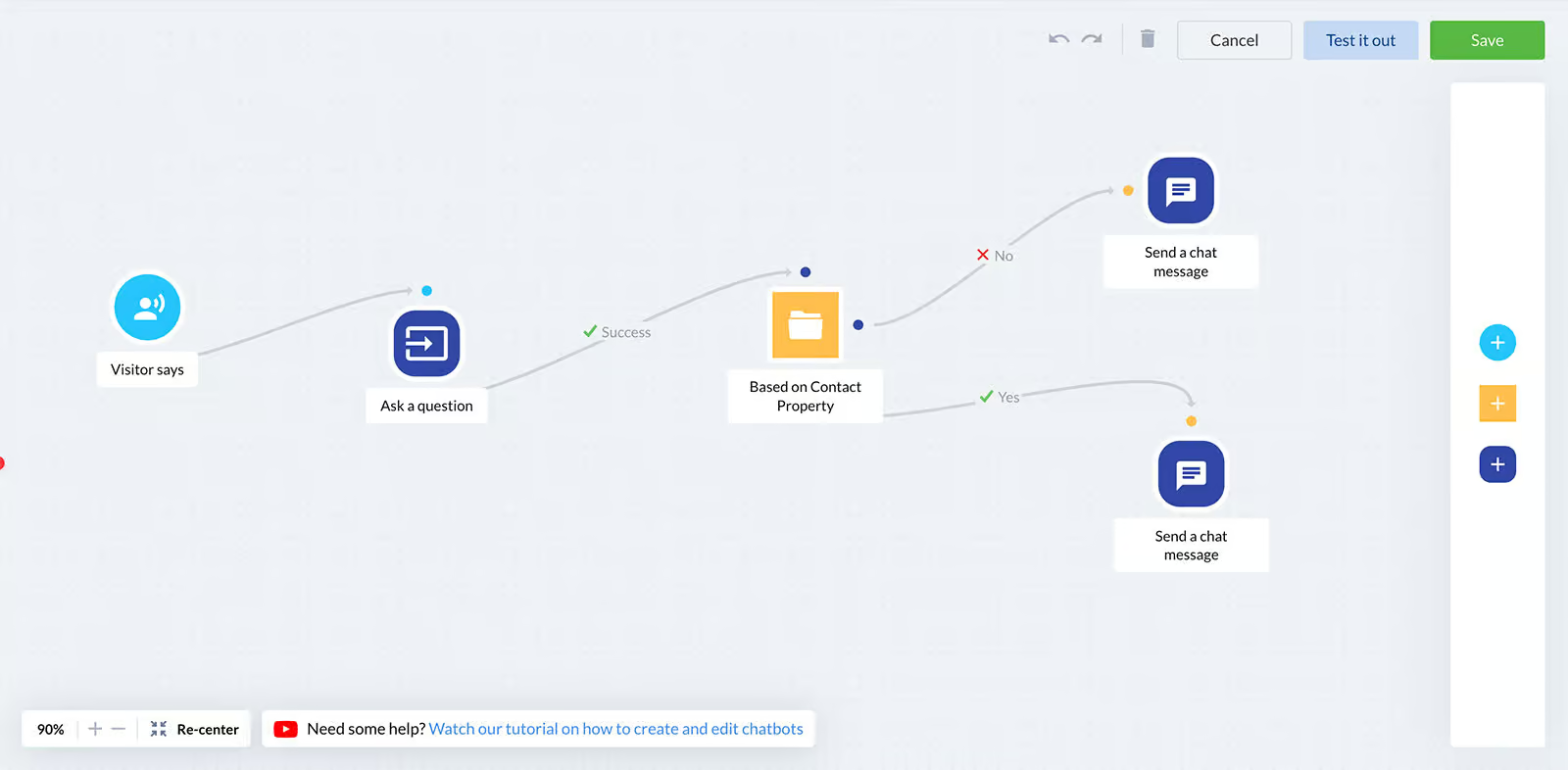
In Tidio, every flow has three primary components:
Trigger: the event (such as “visitor clicks on chat icon” or “first visit on site”) that initiates the conversation
Actions: the results of initiating the flow. This can involve alerting agents, updating fields, or sending a message.
Conditions: “if-then” checks to tailor discussions
The flow builder is incredibly simple to use; all you have to do is drag and drop elements into the canvas from the appropriate menu.
Once your Tidio chatbot flow is complete, you can test it before releasing it:
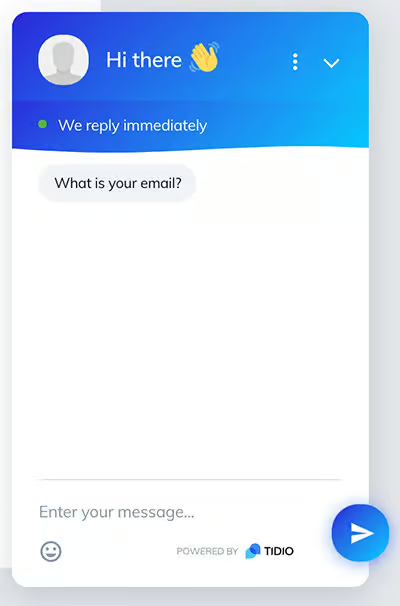
Overall, the interface is very simple to use, and it only takes a few minutes to set up your chatbot!
Chatbot Components
Tidio provides a variety of tools and components that make it easy to design and manage your own chatbot workflows. These elements help you build automated conversation paths for your website visitors.
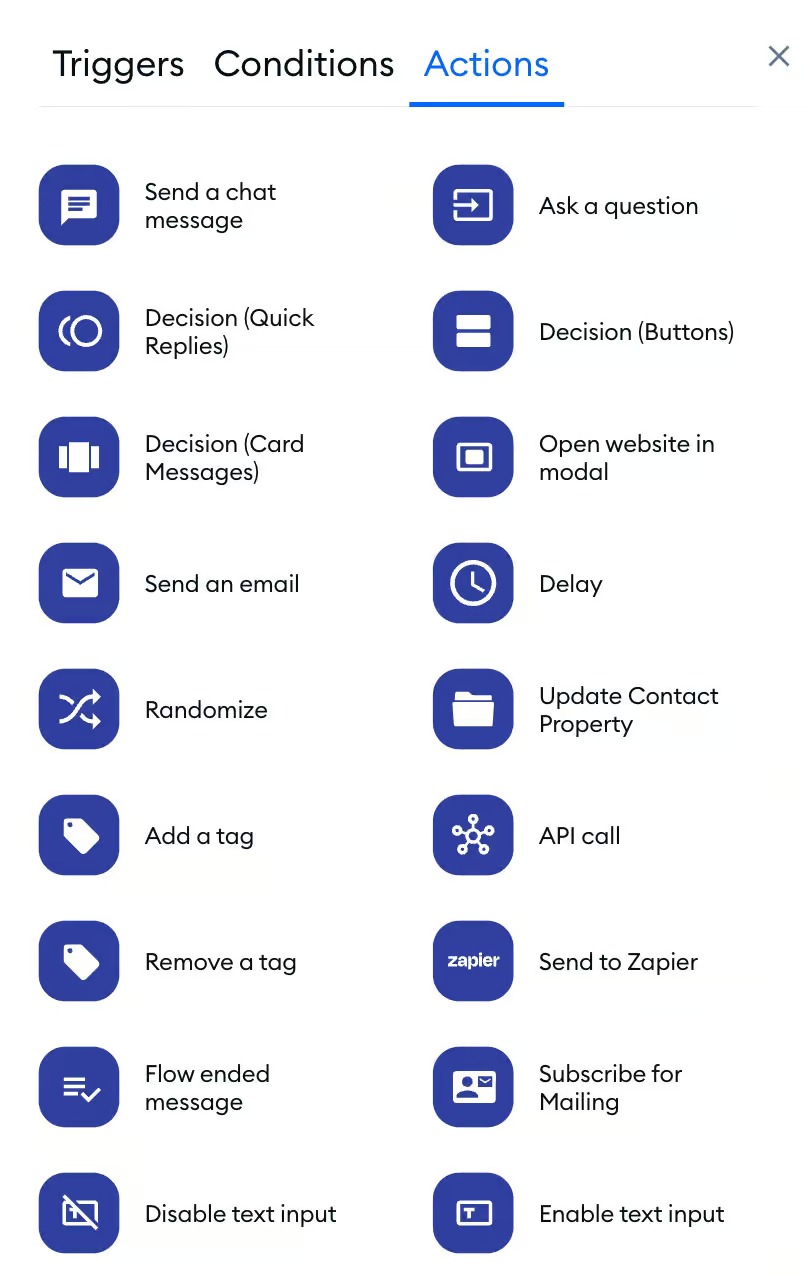
Similarly, Tidio also includes conditions that allow you to customize and tailor conversations based on your website visitors’ behavior and interactions.
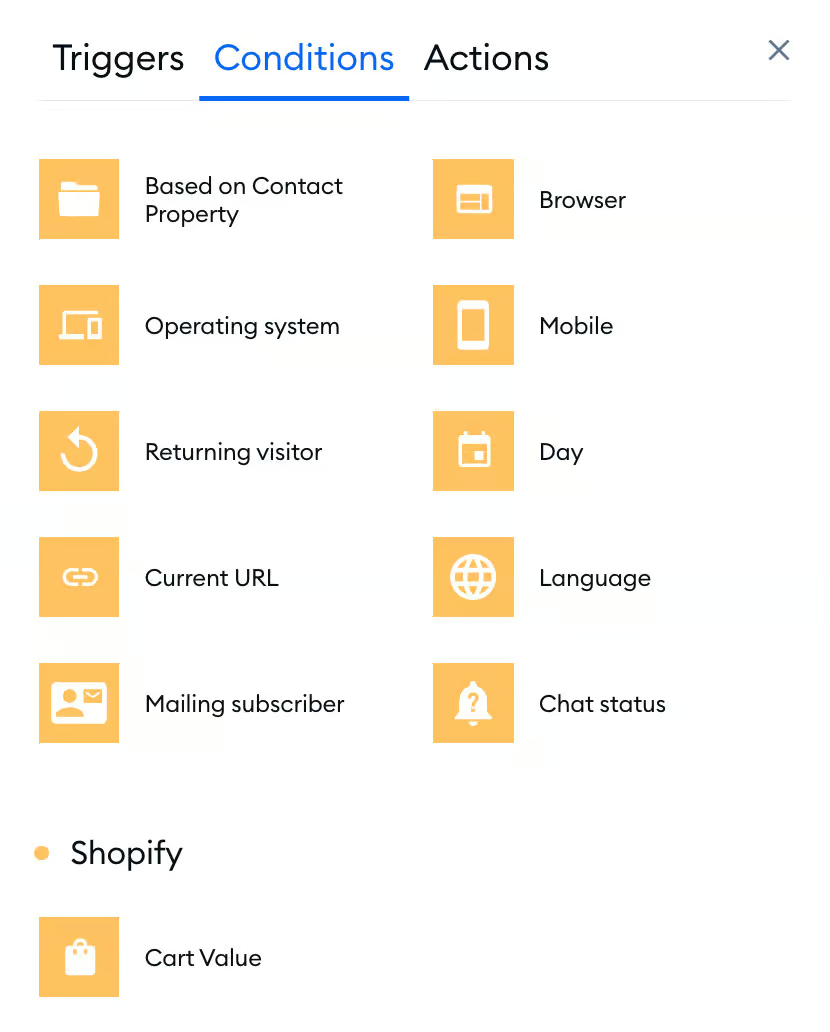
One feature I really appreciate is the “To another Flow” element. It allows you to connect or reference other chatbot flows easily. This means you don’t need to duplicate the same workflows repeatedly, which makes managing and scaling your chatbot system much more efficient.
- Image – Display pictures within the chatbot conversation.
- Video – Share videos directly in the chat to explain or demonstrate something.
- Audio – Send audio clips or voice messages to users.
- Attachment – Allow files or documents to be shared with visitors.
- Gallery (Horizontal List) – Show multiple items in a horizontal scrolling gallery format.
- Quick Reply – Provide predefined reply options so users can respond quickly.
- Button – Add clickable buttons that guide users to specific actions or links.
- Collect User Input – Gather information from visitors such as names, emails, or messages.
- Condition – Use rules to control how the chatbot responds in different situations.
- Delay – Add a short pause between messages to make the conversation feel more natural.
- Start Automation – Trigger automated workflows based on specific actions.
- Split Traffic – Divide users into different paths to test or personalize chatbot responses.
Contacts
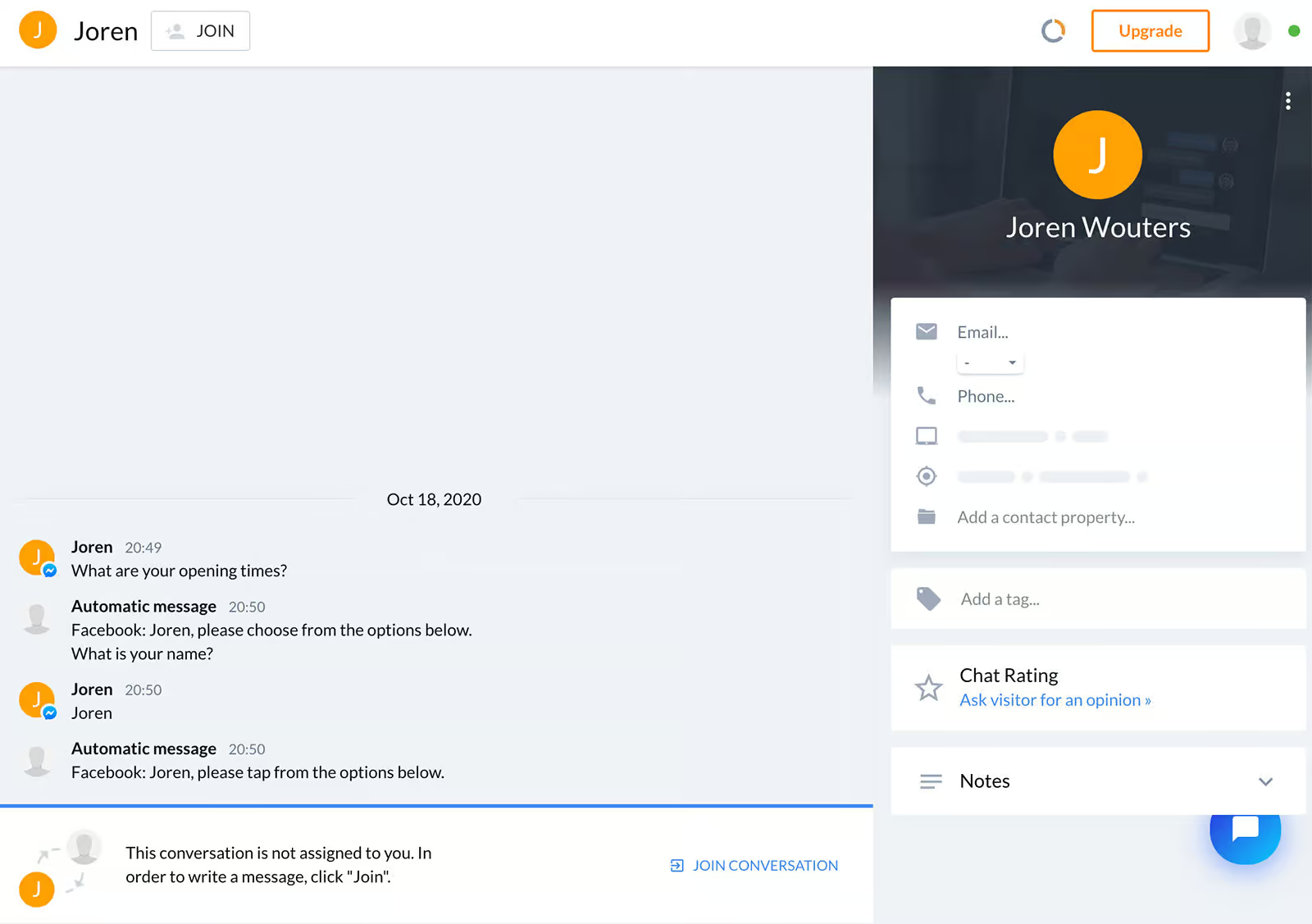
When you click on a contact, their conversation with the chatbot appears on the left side, while their contact details are displayed on the right panel for quick access.
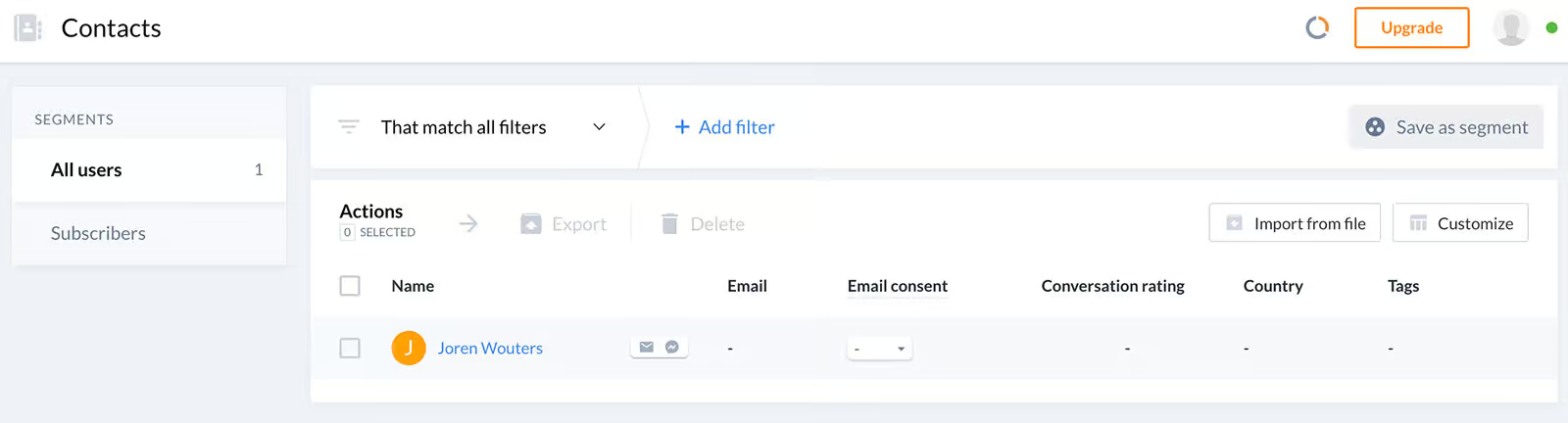
From this overview, you can also add custom fields and assign tags to each contact. In addition, the platform allows you to create user segments. Tidio review To do this, simply apply filters to the users you want and click “Save as segment.”
Tidio AI Features
Tidio includes a built-in AI assistant known as Lyro. With Lyro, you can automatically respond to customer questions, suggest relevant products, and perform certain actions such as checking order status.
You can set this up by following these steps:
- Train it using your own data such as your website content, documents, or product information.
- Give it permission to perform actions, for example checking an order’s status or retrieving basic customer details.
- Provide guidance and instructions so the AI understands your brand’s tone and knows how it should respond to users.
When setting up Lyro with your data, you have the option to train it using five different types of data sources.
Website – Use content directly from your website to train the AI. Q&A – Add specific questions and answers to help the AI respond more accurately. CSV File – Upload a CSV file containing structured data for training. Import Zendesk Articles – Bring in knowledge base articles from Zendesk. Import File – Upload documents or files to provide additional information for the AI.
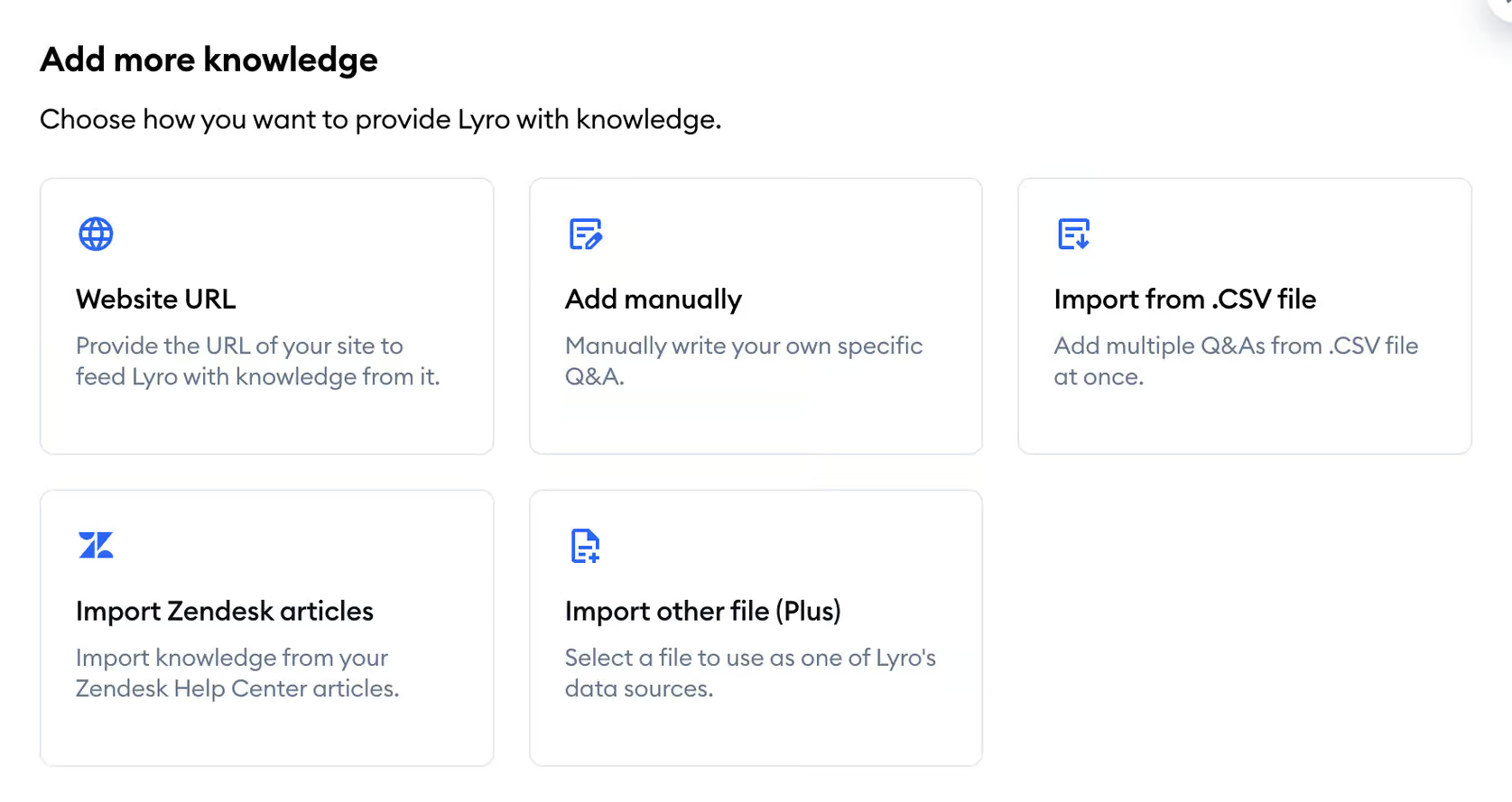
Once you add pages from your website, Lyro will automatically start learning from that content and train itself using the information provided.
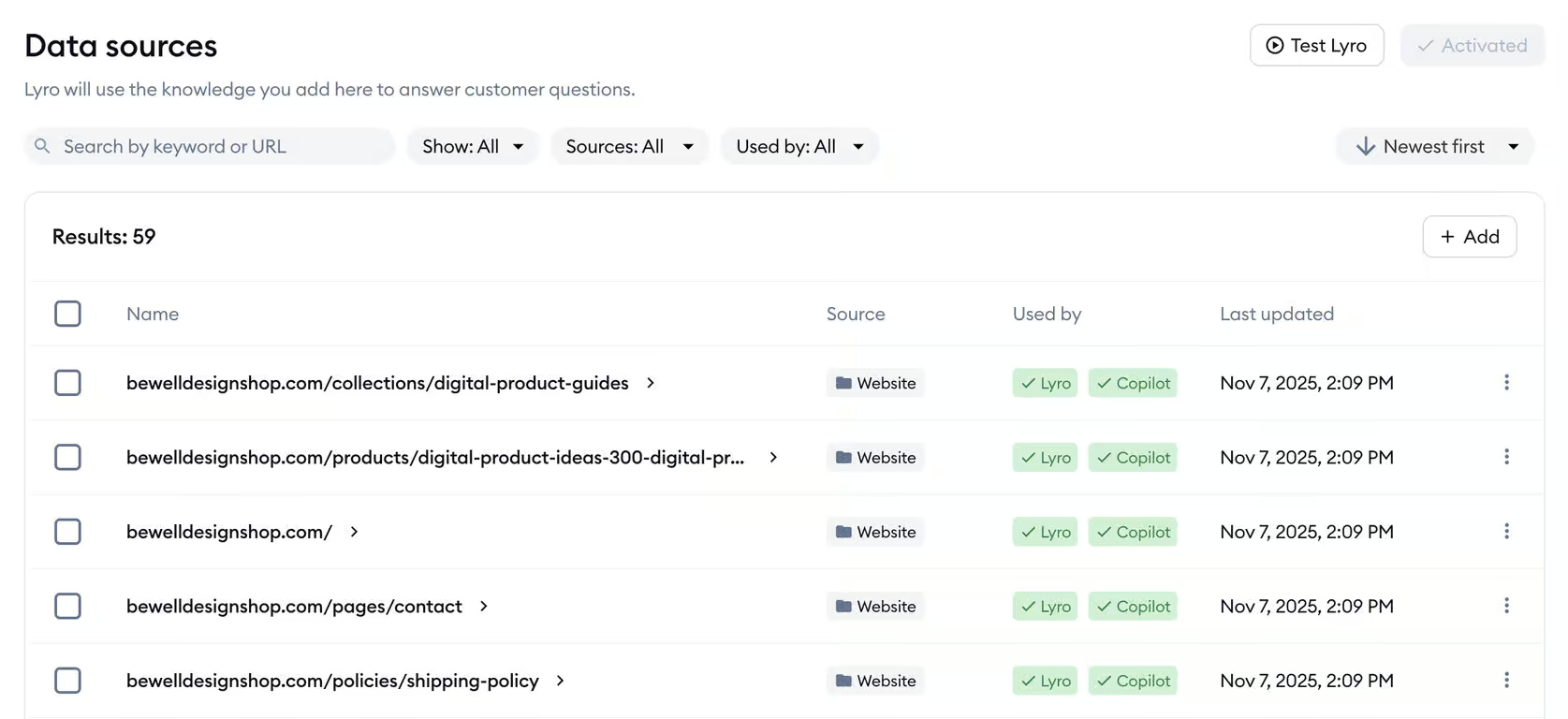
You can also integrate Lyro with your Shopify store. After it has been trained using your store’s data, it can automatically suggest relevant products to customers.
AI-Powered Actions
With Tidio, you can configure AI-powered actions that allow the chatbot to perform tasks automatically. For example, it can check an order’s status or schedule calls for customers.
To set this up, you can simply choose and customize one of Tidio’s ready-made templates:
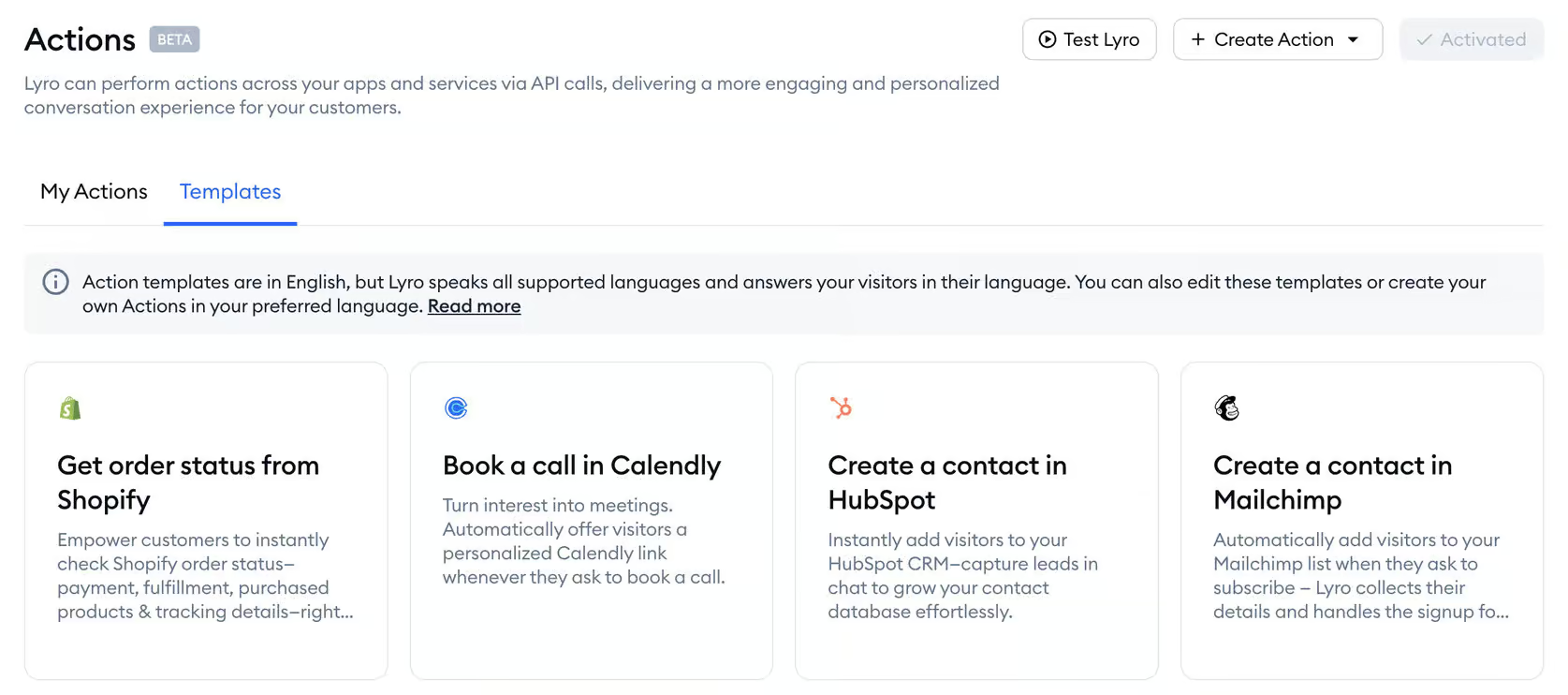
Alternatively, you can create your own custom actions and integrate them with external systems using APIs.
Continue Reading – Passpack Review: What You Need to Know About Its Features, Pricing

Setup Options
The Configure tab allows you to adjust various settings. For instance, you can define the personality of your chatbot and control how it communicates with users.
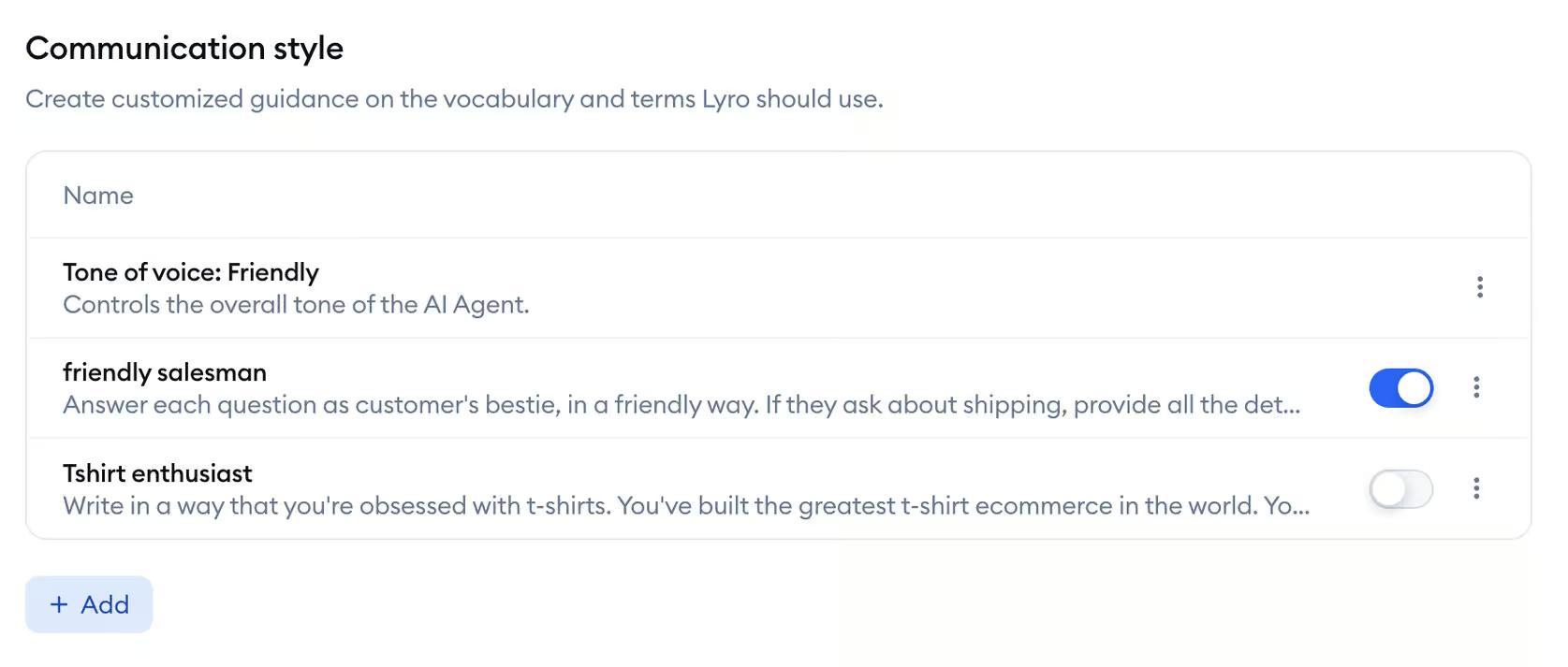
Another advantage is that you can provide your AI agent with specific instructions and adjust its tone of voice. Tidio review This helps make conversations feel more natural, as if visitors are speaking with a real member of your team.
You can also decide when the bot should transfer the conversation to a human agent or automatically create a support ticket.
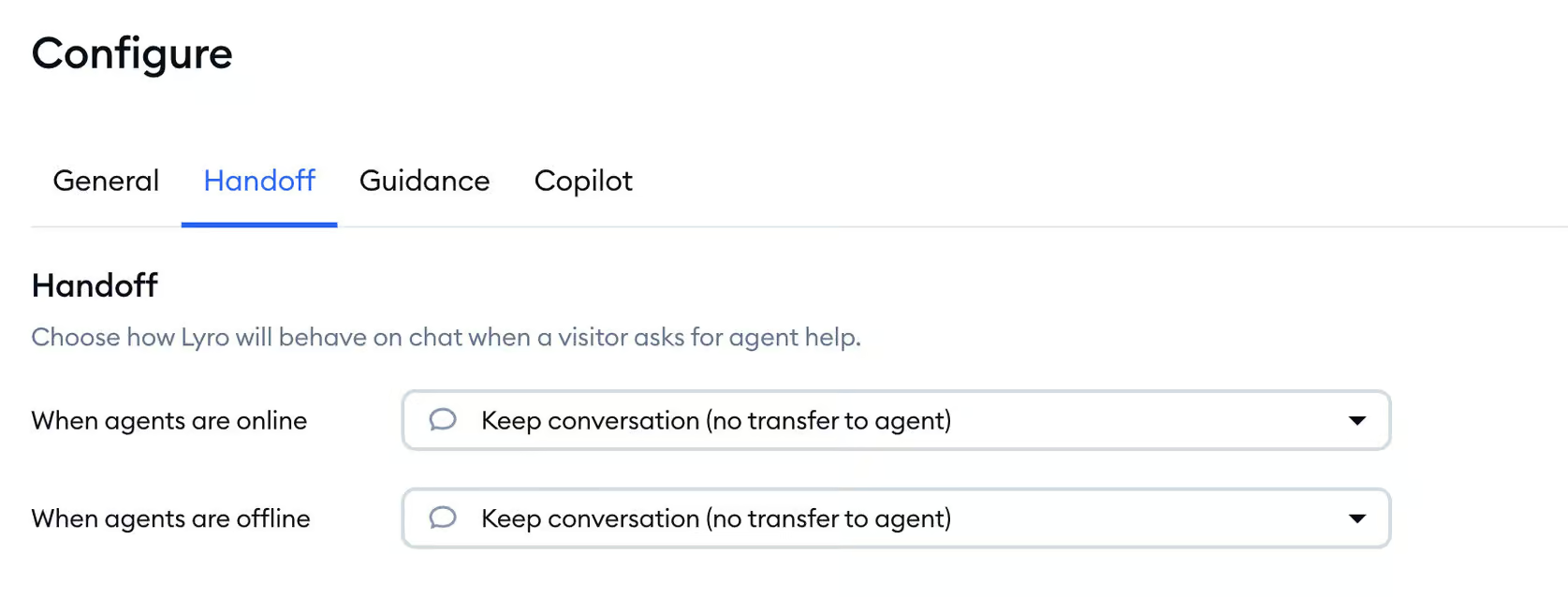
Smart Suggestions
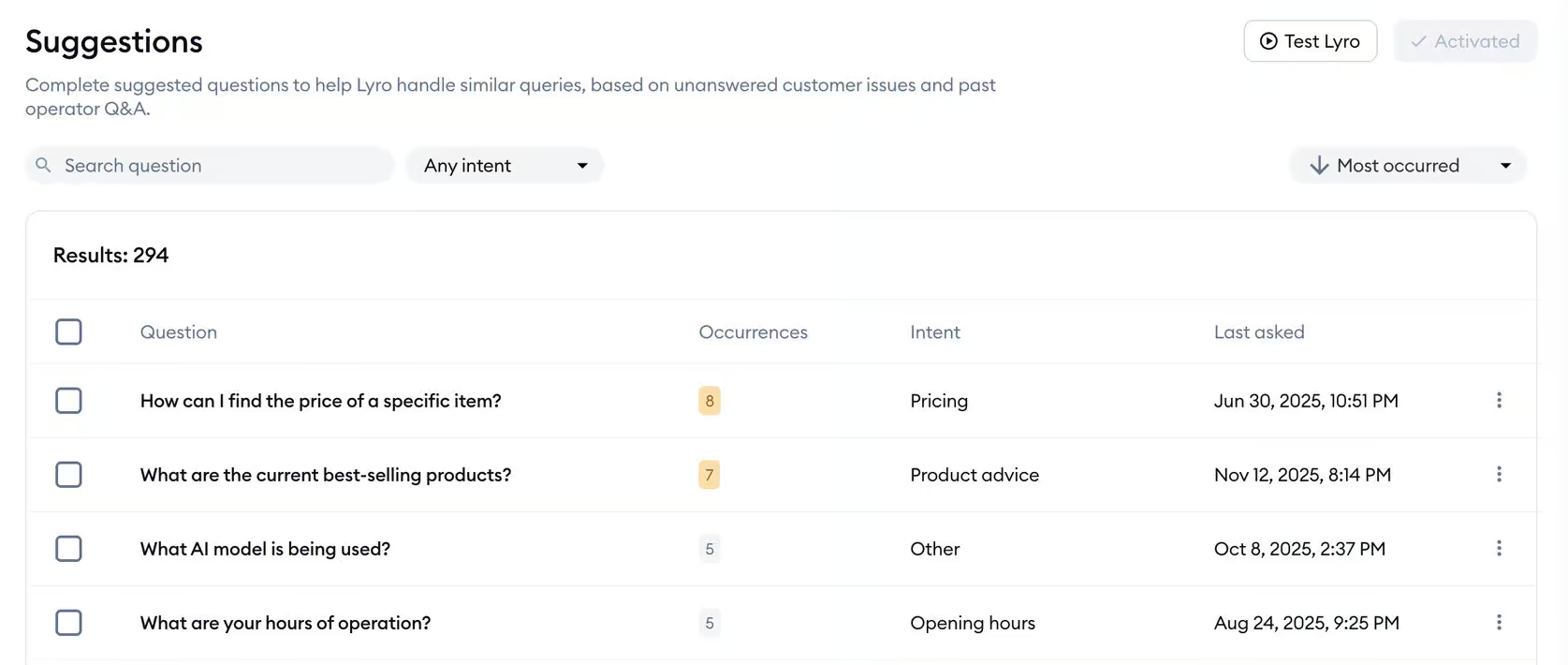
This makes it much easier to improve your chatbot’s responses, since you can clearly see what needs improvement instead of trying to guess.
Keyword and Intent Recognition
While creating chatbot workflows in Tidio, you can use the “Visitor says” trigger. Tidio review This feature lets you add multiple training phrases that help the chatbot understand and recognize the user’s intent.
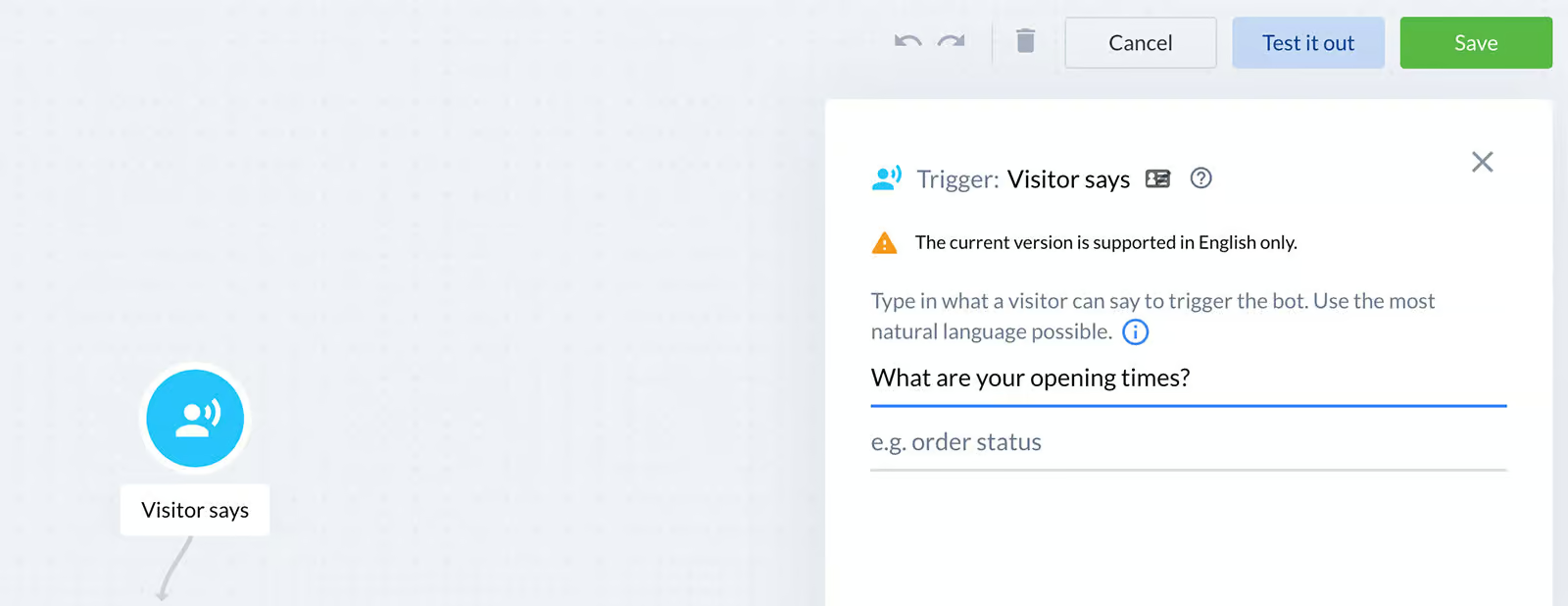
Using these training phrases, Tidio’s NLP system analyzes future messages from visitors and connects them to the most relevant chatbot flow. Tidio review This makes it possible to build highly personalized, intent-driven automations.
Real-Time Live Chat
Tidio also comes with a built-in live chat feature that lets you transfer the conversation from the chatbot to a human support agent when needed.
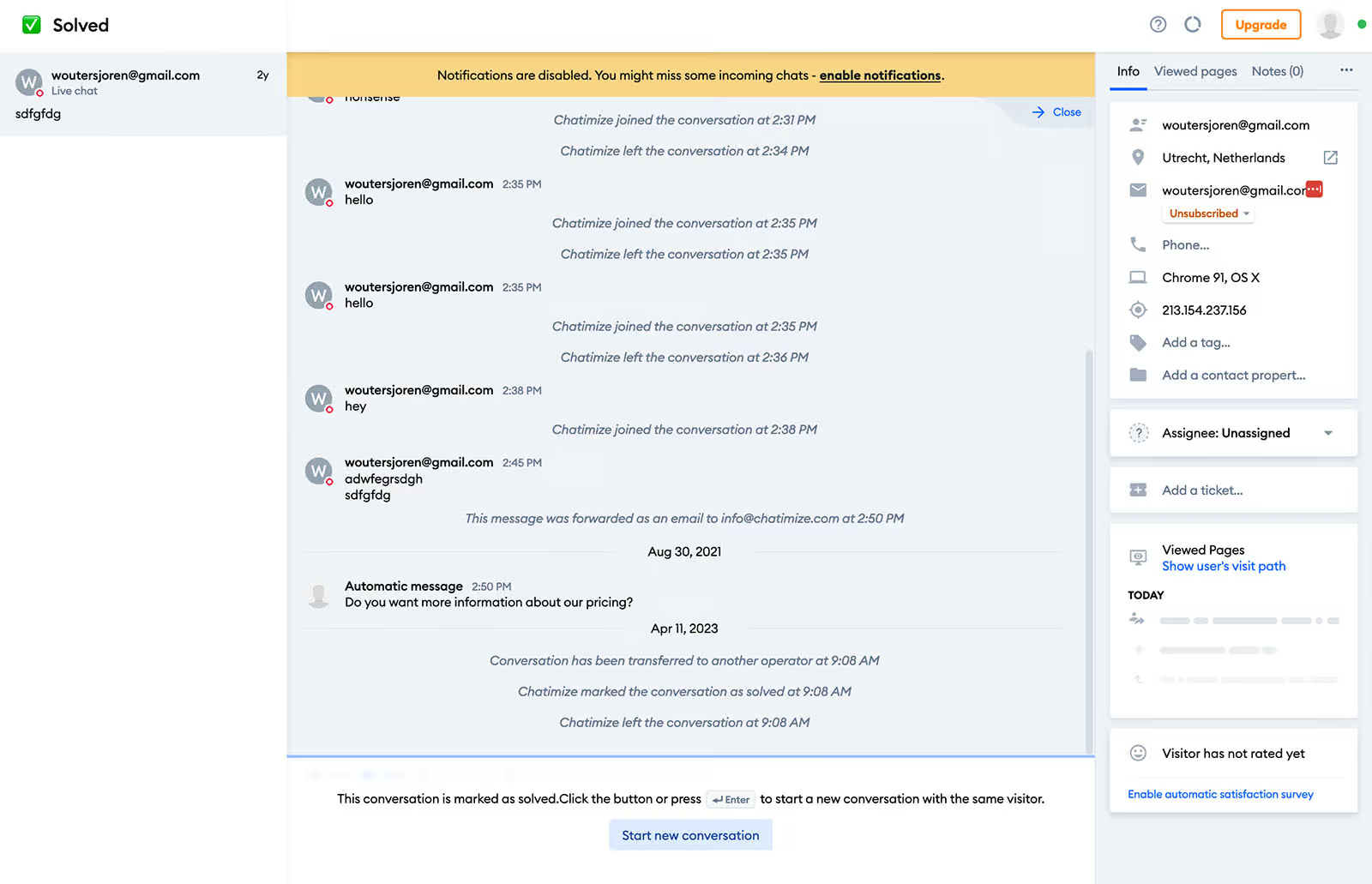
Tidio also allows you to create rules that automatically assign incoming conversations to available live chat agents.
Tidio Integrations
Tidio supports a wide range of integrations with different apps and platforms. Some of the most notable ones include:
eCommerce Platforms – For example, Shopify and WooCommerce.
Email Marketing Tools – Such as Mailchimp and Omnisend.
CRM Systems – Including platforms like Zendesk and Pipedrive.
In addition, Tidio integrates with Zapier, which allows you to connect it with almost any software or tool available.
For users with technical knowledge, it’s also possible to make API calls directly within chatbot workflows.
You can also trigger custom events on your website using the Tidio API, giving you more flexibility to automate actions and interactions.
Tidio Pricing
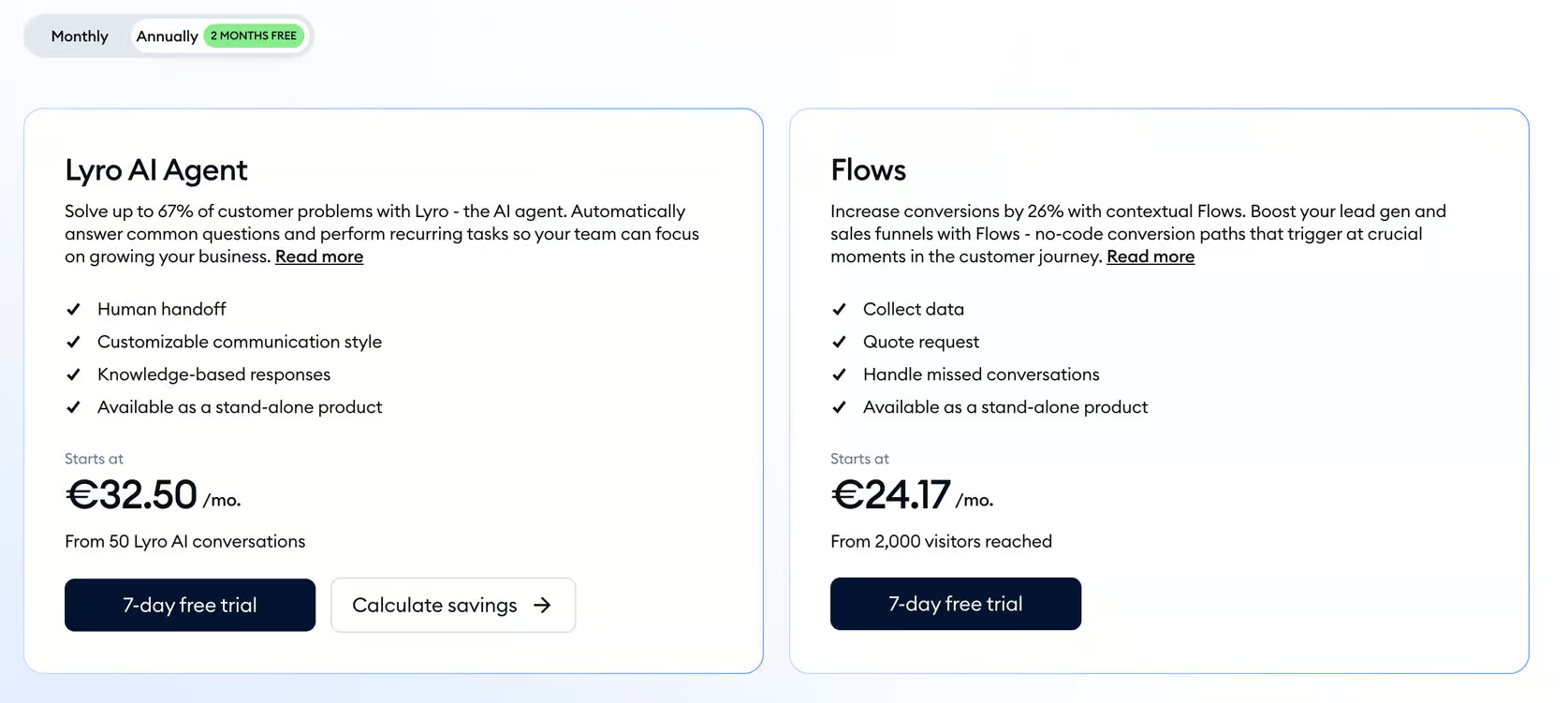
Tidio provides a free plan along with multiple paid options, starting at around $29 per month. Tidio review Every paid plan also includes a 7-day free trial, giving you the opportunity to explore its features before making a purchase decision.

The free plan allows up to 50 billable conversations, which refer to interactions between a website visitor and a live support agent.
The Starter plan, priced at $29 per month, includes the following features:
- Up to 100 billable conversations between visitors and live agents
- Access to basic analytics for performance tracking
- Around 50 Lyro AI conversations
- Ability to engage up to 100 visitors through chatbot flows
- Support for all major channels, including Website, Facebook, Instagram, and WhatsApp
The limit of 50 Lyro conversations and 100 flow-reached visitors is quite low, and many users may find themselves needing more capacity.
If you exceed these limits, you will have to purchase additional add-ons. For example, you can get extra Lyro conversations for about $39 per month (adding 50 more conversations). Tidio review Similarly, to increase reach through chatbot flows, you can pay around $29 per month, which expands your limit to approximately 2,000 visitors reached via flows.
Support
Tidio offers helpful video tutorials on YouTube along with a detailed knowledge base to guide users.
In addition, they also provide customer support through both email and live chat, ensuring users can get assistance whenever needed.
Is Tidio Worth It?
So, would I personally recommend using Tidio for building chatbots?
Yes, I would.
Tidio is a strong choice for small and medium-sized businesses that want a website chatbot combined with live chat and AI-powered features.
The platform is very beginner-friendly, allowing you to create a chatbot in just a few minutes. It also lets you seamlessly transfer conversations to live agents and automatically handle common queries using the Lyro AI chatbot. Tidio review On top of that, you can proactively engage website visitors with targeted messages.
Tidio offers a free plan, along with paid plans starting at around €29 per month, so you can choose an option that fits your needs and budget.
If you’re planning to try it, you can also get a 20% discount on your Tidio subscription using the button below.
If you’re interested in learning how to set it up, you can check out this beginner-friendly Tidio tutorial to get started quickly.
Explore More – Close CRM Review, Features, Pricing, Alternatives, Ultimate Guide
Frequently Asked Questions (FAQs)
What is Tidio used for?
Tidio helps businesses improve customer support and boost sales through live chat, chatbots, and automation features.
Does Tidio use AI?
Yes, Tidio includes an AI chatbot called Lyro, which can answer customer questions and perform simple tasks using your own data.
Is Tidio free?
Yes, Tidio offers a free plan, along with paid plans starting at around $29/month.
Does Tidio integrate with Google Sheets or ChatGPT?
There is no direct integration, but both can be connected using tools like Zapier or API solutions.
Is Tidio legit?
Yes, Tidio is a trusted platform used by many businesses worldwide and has strong user ratings on review platforms.
Conclusion
Tidio is a powerful all-in-one customer support tool that combines live chat, chatbot automation, and AI capabilities in a single platform. It is especially useful for small and medium businesses looking to improve customer engagement without complex setups.
With features like the Lyro AI assistant, automation flows, and multi-channel support, Tidio makes it easy to handle customer queries and increase conversions. Tidio review While some advanced features require paid plans, the free version is still useful for getting started.
Overall, if you want a simple yet effective chatbot and live chat solution for your website, Tidio is definitely worth considering.